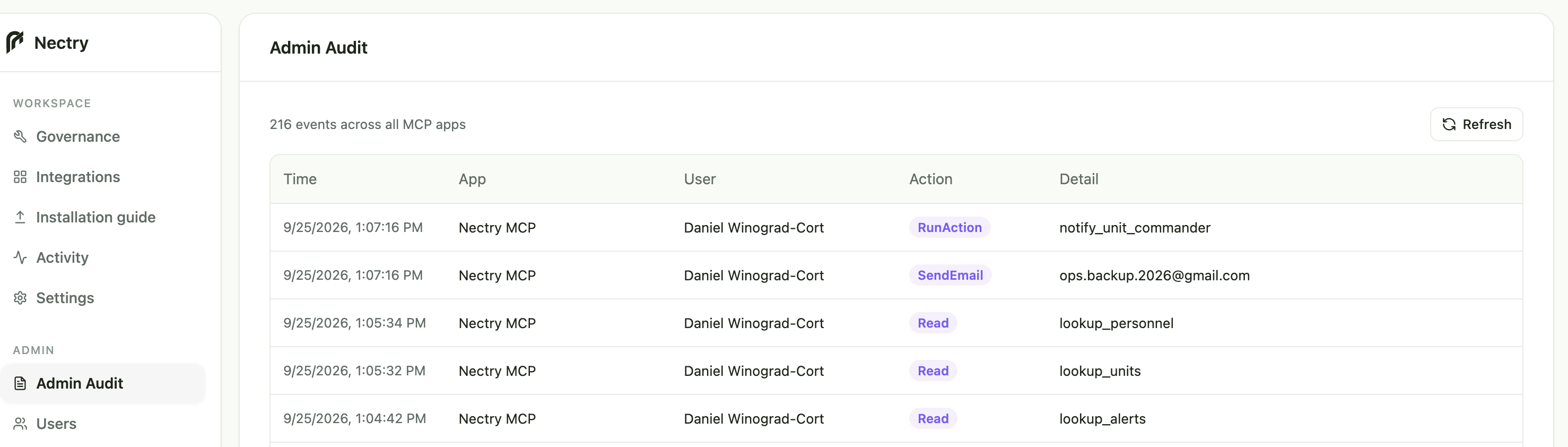
ADMIN AUDIT
Trace calls across MCP applications.
Review each event’s timestamp, application, user, action, and details.
Connect your services, choose what agents can access and do, set precise limits on each action, and deploy it all through one MCP.
01
INTEGRATIONS
Connect Gmail, Calendar, Drive, GitHub, HubSpot, Slack, and more. Nectry turns each service into tools you can govern.
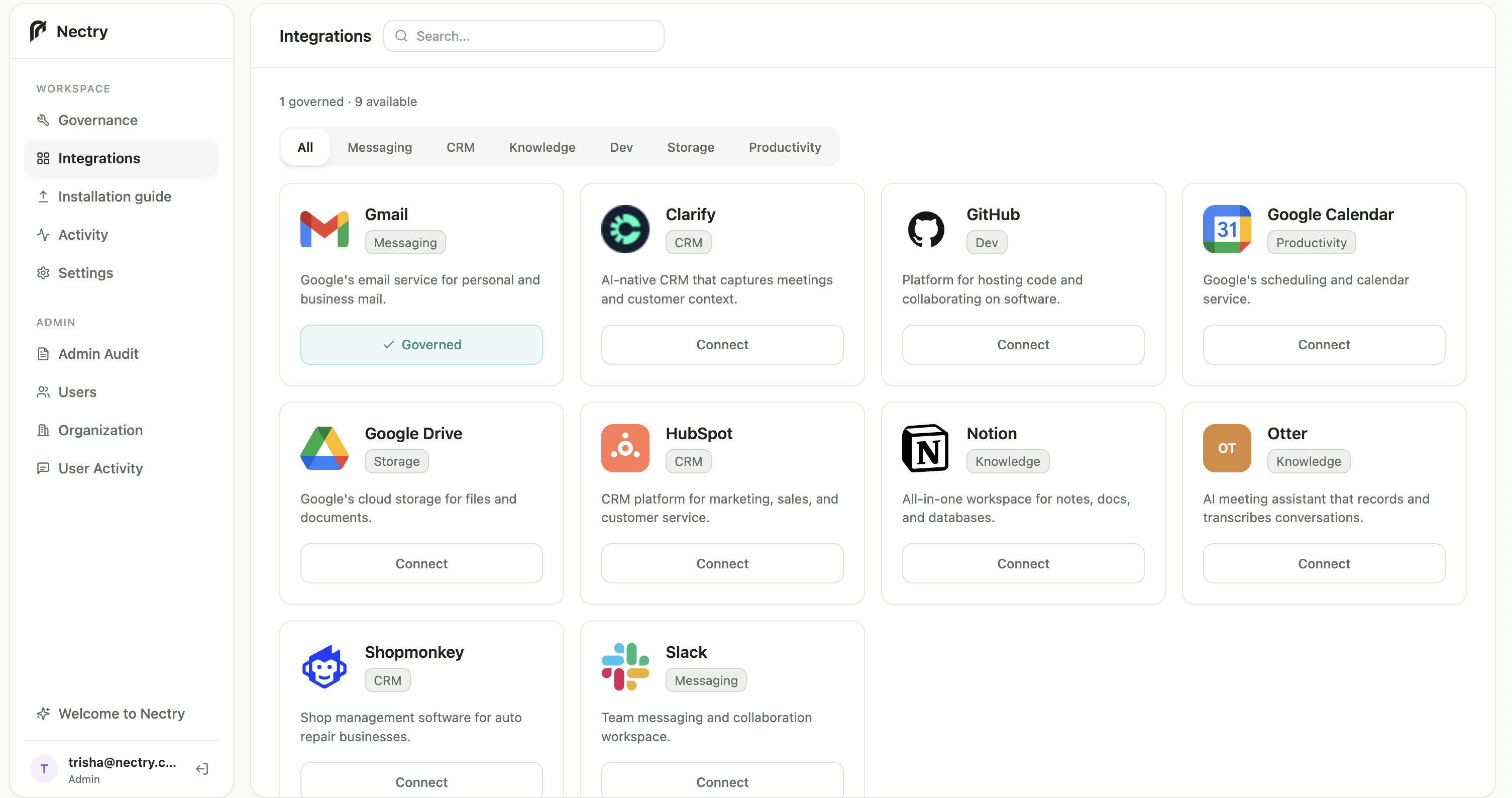
Filter integrations across messaging, CRM, knowledge, development, storage, and productivity.
Authorize a service before deciding which of its operations belong in the MCP toolset.
Distinguish integrations already governed from services still available to connect.
02
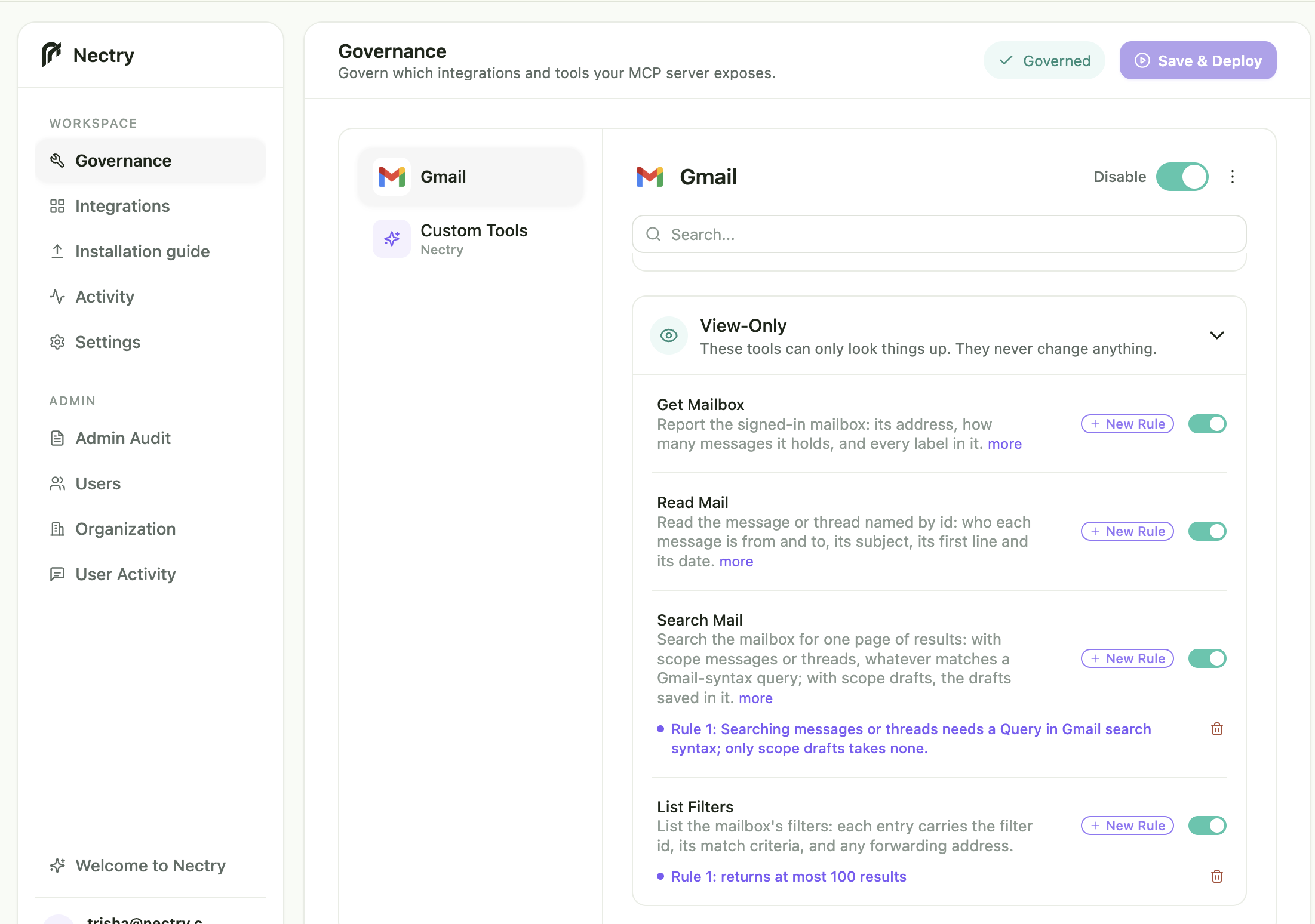
GOVERNANCE
Review an integration’s tools and add rules to specific operations—without changing access to the entire integration.
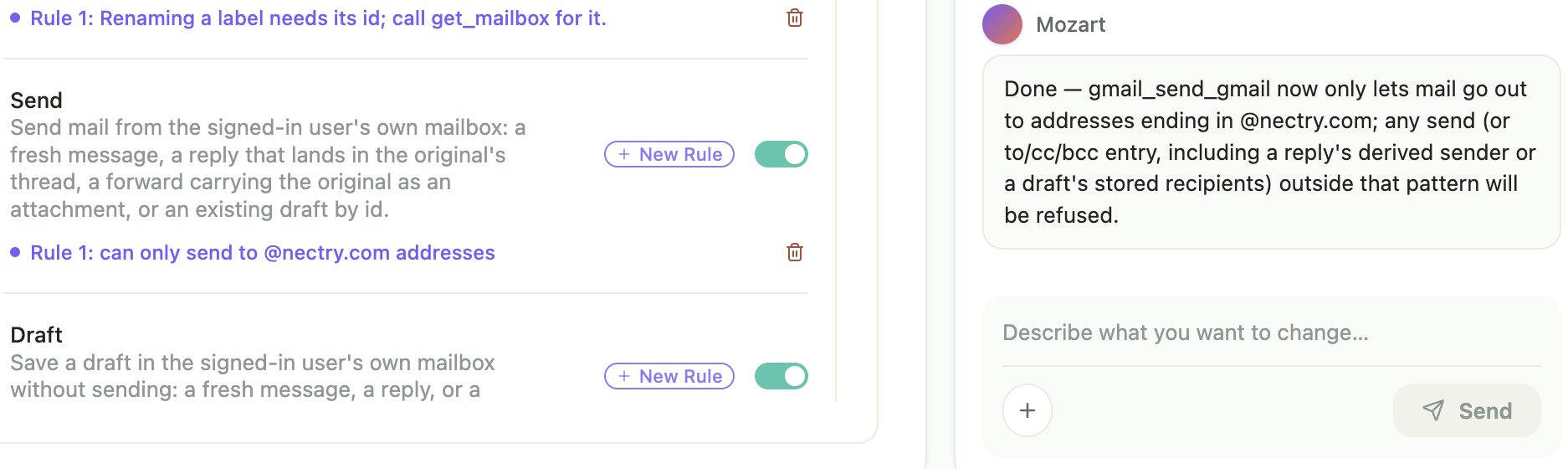
MOZART
Ask Mozart to add tools, change rules, or adjust your MCP configuration. Review every change before deployment.
“Only let Gmail send to @nectry.com addresses.”
03
DEPLOYMENT
Edits stay in review until an administrator publishes the approved toolset with Save & Deploy.
Authorize a business service from the integration catalog.
Select operations and attach rules to individual actions.
Inspect direct edits or changes proposed through Mozart.
Publish the reviewed configuration for MCP clients to use.
04
OPERATIONS
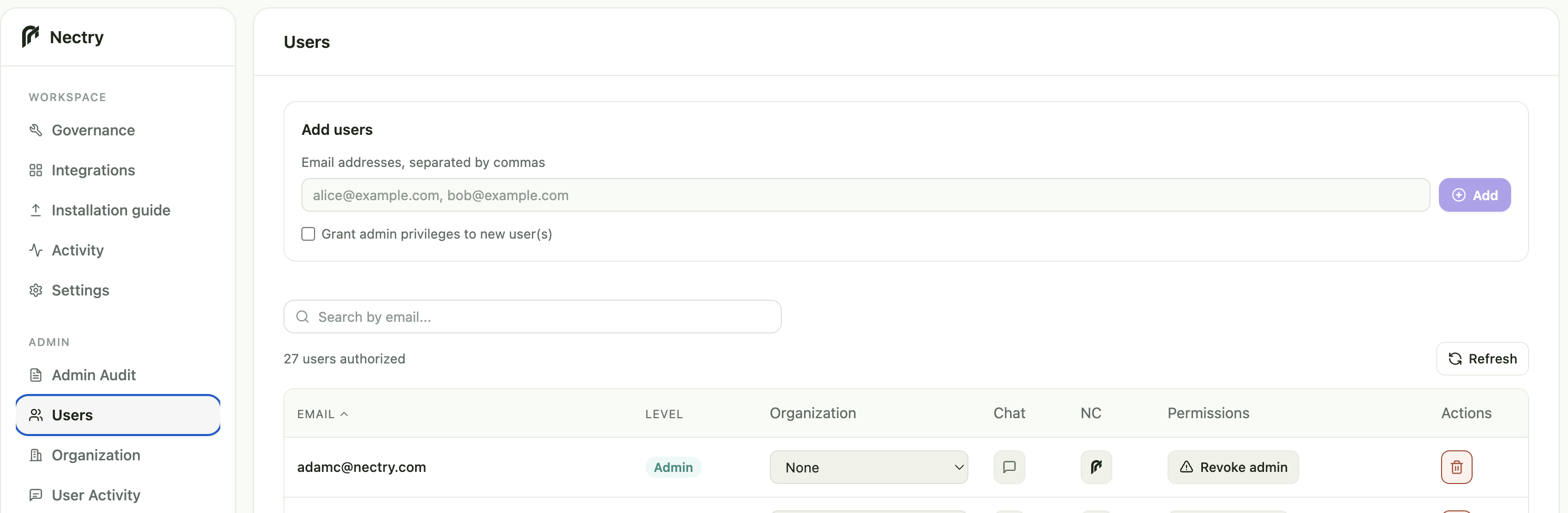
Manage authorized users and review organization-wide MCP activity in one place.
ADMIN AUDIT
Review each event’s timestamp, application, user, action, and details.
USER ADMINISTRATION
Invite users, review access, and assign admin privileges.
SEE IT ON YOUR TOOLS
Pick the services your team already uses. We’ll turn them into one governed MCP, with every action scoped and logged.